Free tools that let an AI help you build: Unreal, Blender, Godot and Krita
Two game engines, a 3D app and a paint program, and how an AI assistant gets its hands on each one.
I went looking for free software where an AI can do real work on the thing you're building, rather than sit in a chat window next to it. Four made the cut. Two are the names everyone expects, Unreal Engine and Blender, and two are smaller: the Godot engine, and the Krita paint program with one very popular plugin. Everything here was checked on September 15, 2026, and in this corner of software a month is a long time.
Three of the four connect through MCP, the Model Context Protocol, an open standard that lets an AI assistant use the controls inside another program instead of only describing them. The app on your end is free. The assistant on the other end usually isn't, unless you run a model on your own graphics card.
Unreal Engine: an assistant in the editor, and a door for outside agents
Unreal costs nothing to download or to ship with. Epic's license takes nothing until a product has earned $1 million in lifetime gross revenue, and then 5% of what it earns above that.
Epic has put two kinds of AI into it. The first is its own Developer Assistant, which started in Unreal Editor for Fortnite, answered Unreal Engine 5.6 questions and wrote C++ on the web from September 2025, and moved inside the editor with version 5.7. You can type a question, or hover over part of the interface and press F1 to start a conversation about that control. It's a helper for learning the engine (one of the first replies on Epic's own announcement thread reminds people to double-check what it says).
The second is the bigger change. Unreal Engine 5.8, released in June 2026, added an experimental plugin called Unreal MCP. Epic's release notes say it "enables agentic AI systems to connect to the Unreal Editor", and the documentation spells out what those systems can do once they're in: spawn actors, set up lighting, create material instances and run automation tests. The setup instructions have entries for Claude Code, Cursor, VS Code, Gemini and Codex.
Turning it on takes two checkboxes. Open Edit, then Plugins, enable Unreal MCP and the All Toolsets plugin, and restart the editor when it asks.
Epic is blunter about the risks than I expected from a feature page. The server runs inside the editor process, only accepts connections from the same machine, and "has no authentication layer". That's fine on your own desk. I wouldn't expose it to a network, and Epic says as much.
Blender: the Foundation says no, a plugin says yes
Blender has no AI built in, and the people who make it want that understood. On May 1, 2026, Blender Foundation chairman Francesco Siddi wrote: "No generative AI functionality is currently available or planned to be integrated in Blender."
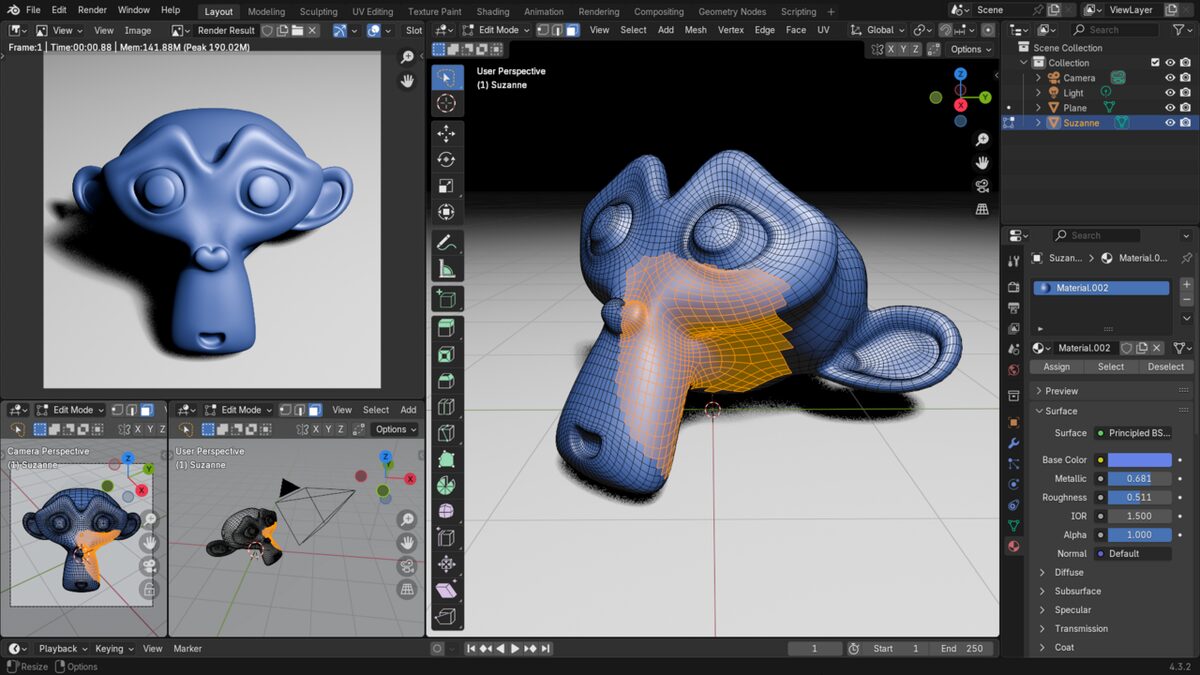
That line came out of a funding row. Anthropic had joined the Blender Development Fund as a Corporate Patron, worth €240,000 a year according to CG Channel, and a loud part of the community objected. The Foundation apologized for not asking contributors first and turned the patronage into a one-off donation, which it says Anthropic supports. (Anthropic makes Claude, the model that drafts our news stories, so read this section knowing that.)
The way in for an AI is a third-party add-on called BlenderMCP, written by Siddharth Ahuja. Its README opens with a disclaimer that it's "not made by Blender". It's MIT-licensed, and it had about 28,700 stars on GitHub on the day I checked, far more than anything else in this piece. You install a small add-on inside Blender, point your AI client at the server, and the assistant can build objects and apply materials in your open scene.
It can also fetch ready-made assets from Poly Haven and Sketchfab, or ask Hyper3D Rodin and Tencent's Hunyuan3D to generate a model from a description. Those generators are outside services, so they come with their own accounts and limits.
One tool needs a warning. execute_blender_code runs whatever Python the assistant writes, straight inside Blender, and the README tells you to save your work before using it. Given what a stray script can do to a scene file, I'd take that literally. The add-on also sends anonymous usage data by default. There's a checkbox for it in the add-on's preferences, or you can set DISABLE_TELEMETRY=true before starting the server.
None of this makes finished models. Going by the tool list, it's built for setup: blocking out a room, placing lights, swapping materials across a scene. The sculpting stays yours.
Godot: nothing built in, two plugins that matter
Godot is a free, open-source game engine under the MIT license, so there's no royalty on anything you ship. There's no AI in the box, and like Blender it comes down to plugins.
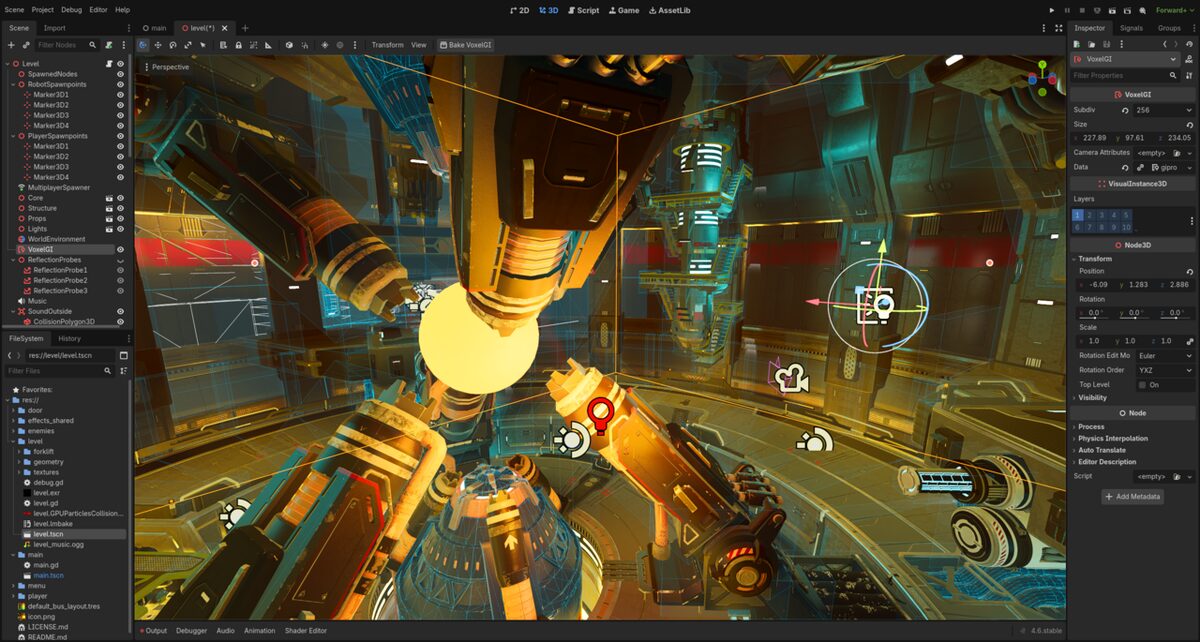
The most-starred one is godot-mcp by Coding-Solo, with about 5,700 stars. It keeps to a narrow job. It runs your project in debug mode and hands the console output and error messages back to the assistant, so the assistant can see what broke instead of guessing.
Godot AI, from hi-godot, goes much further. It works inside the open editor, where it can build scenes and edit scripts, and it can run scenes and test suites to check its own work. The README's example prompts include building a voxel block-world game with save slots, which is a lot to ask of one sentence.
It's MIT-licensed too, and version 4.1.0 came out on September 11, 2026. One thing tripped me up. The README says it needs Godot 4.7 or newer, while the listing on Godot's own asset store still describes an older release that ran on 4.5. Go by the README.
Krita and AI Diffusion: textures and concept art on your own graphics card
Every project above needs pictures, from textures to concept sketches. Krita is a free painting program, and the AI Diffusion plugin by Acly (GPL-3.0, about 10,600 stars) puts image generation inside it. You can inpaint, meaning fill a selection so it matches what's around it, or extend the canvas past its edges, with a text prompt or without one.
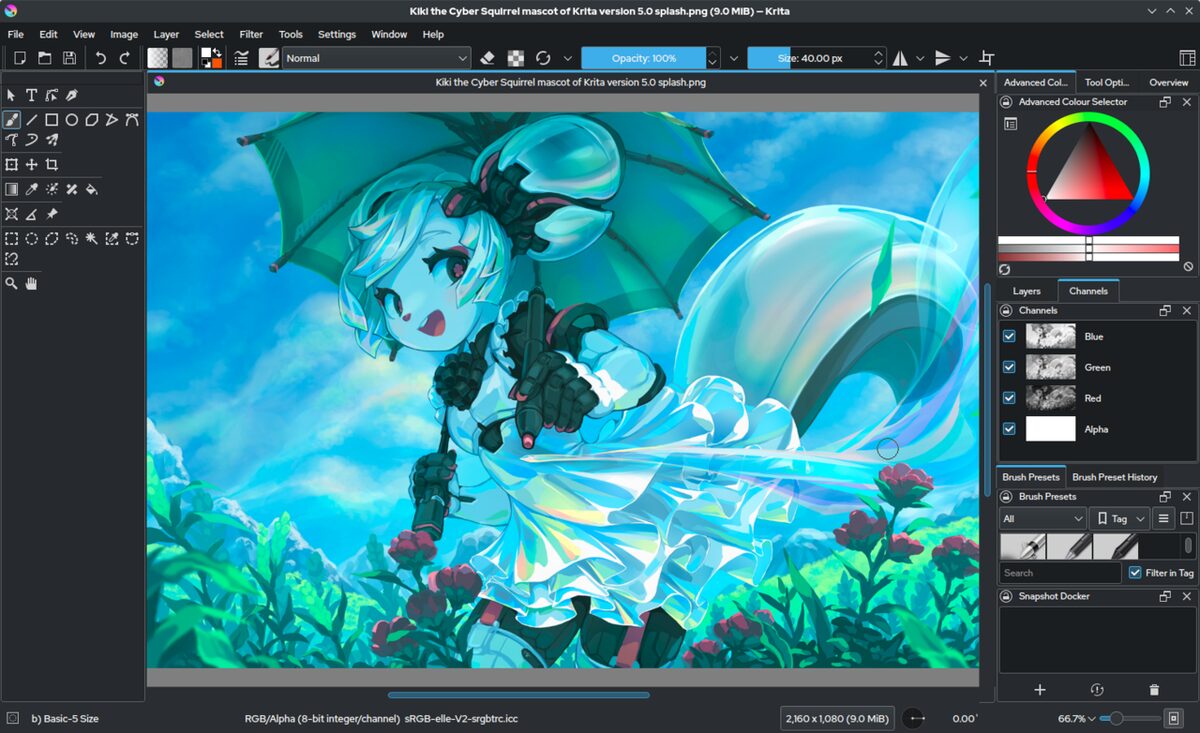
Live Painting is the unusual mode. The plugin reinterprets the canvas in real time while you draw, so a rough shape comes back rendered as you work on it.
Behind the scenes it uses ComfyUI, an open-source program for running image models, and the plugin can install that for you. Supported models include Flux 2, Z-Image and the Stable Diffusion 1.5 and XL families. The README asks for a graphics card with at least 6 GB of VRAM, the graphics card's own memory, and it supports NVIDIA, AMD and Intel cards as well as Apple Silicon on macOS 14 or later.
A CPU works too, very slowly. Cloud generation is there if your machine can't manage it. You'll need Krita 5.2 or newer, and version 1.53.0 of the plugin came out on August 22, 2026.
This is the only one of the four designed from the start to run the AI on your own hardware. If "free" was the whole point, that counts for a lot.
Two I looked at and left out
Roblox Studio is free and has more AI built in than anything else I looked at. In April 2026 Roblox added Planning Mode to its Assistant, which writes an editable plan, builds against it and playtests the result, reading the output logs and taking screenshots as it goes. I left it out because everything you make there lives on Roblox.
DaVinci Resolve was the closer call. Version 21.1 added MCP support for Claude, Claude Code and Codex, so an assistant can organize media and batch render for you. It's Studio only, the $295 edition, and the same update moved Python scripting out of the free version. CineD quotes Blackmagic's reason: "The Python API was being used to hack studio features into the free version."
More on AI products
- Walmart will let AI agents shop for customers with their own profiles and spending limitsOctober 22, 2026
- Anthropic opens Claude Duet, an agent that messages you first and asks before it paysOctober 21, 2026
- Google DeepMind says four Gemini 4 Argon agents beat Minecraft on their own in 27 hoursOctober 19, 2026
- NorForge found over 20 open panels where hackers steer AI agents at online shopsOctober 19, 2026