Claude Code's /limit-reset, and what it actually resets
A command that turns your five-hour session limit back on, once in a while, and tells you when you can do it again.
If you use Claude Code on a subscription, you've met the five-hour session limit. You're partway through something, the session stops, and you wait. A command called /limit-reset now ends that wait. It turned up without an announcement.
I went looking at what it does and what it leaves alone. There are also two other recent answers to the same problem, and they're easy to mix up.
What it does
Running /limit-reset clears your current session limit straight away. The command describes itself as resetting your session limit now, and when it works it prints one line in three parts:
Session limit reset · next reset available Sep 5, 6pm · your weekly limit still appliesEach part is doing a job, and one of them is a bit of a warning.
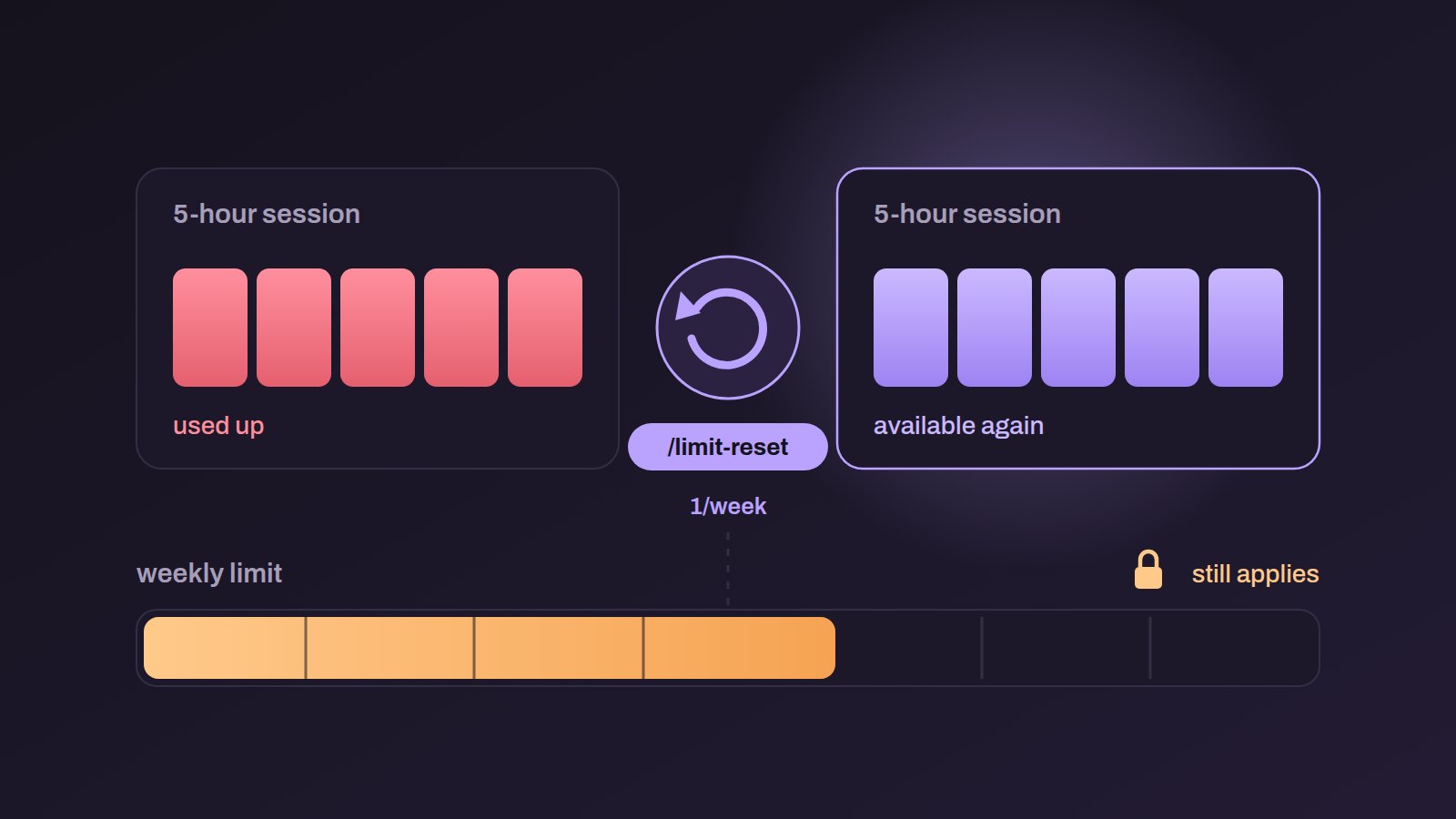
Session limit reset means the five-hour window you'd used up is available again. You can carry on in the same session.
Next reset available is the half that matters more. The command is rationed, and it tells you when you can run it again (on the account I tested, that was the following evening). The ration is once a week. The offer line inside the binary reads /limit-reset to reset your session limit now · uses weekly limit · 1/week, and the command's own description says "once a week, still counts toward your weekly limit". I'd still treat the date it prints as the truth for your account, since it's the only number that reflects your own plan and history.
Your weekly limit still applies means what it says: there are two limits, and this command only touches one.
What it doesn't do
Your weekly limit doesn't reset. If you've burned through the week, /limit-reset won't help, and the message says so every time it succeeds.
Nor does it add credit or change your plan, and your overall allowance stays the same size. Think of it as rescheduling. You get the rest of your five-hour window sooner, and the weekly ceiling doesn't move.
The messages when it doesn't work, verbatim
There are five, and each means something different. I copied them out of the binary instead of retyping them, because they differ by a few words and a wrong guess sends you looking in the wrong place.
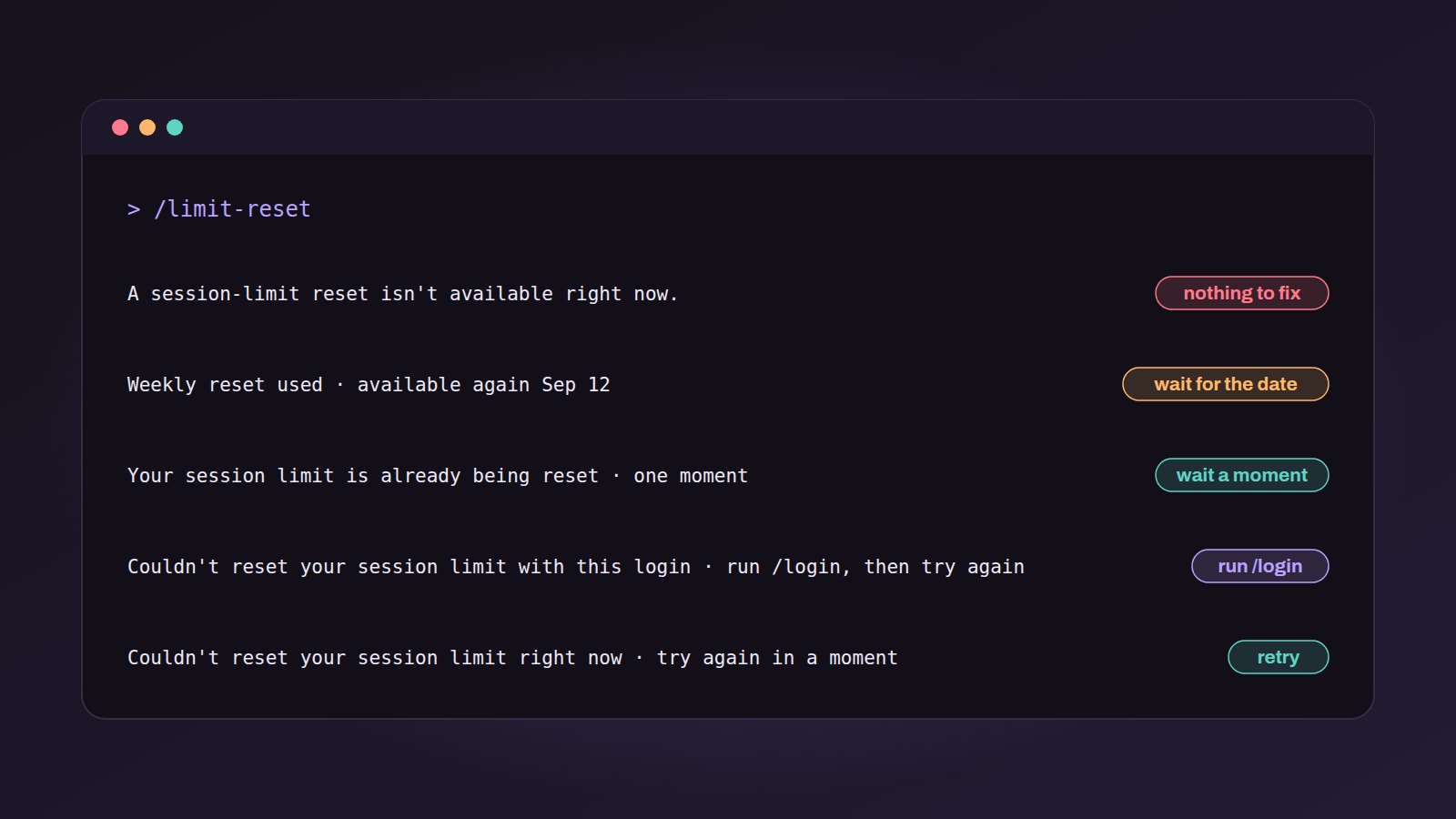
A session-limit reset isn't available right now.The reset was never offered to your account. The server answeredineligible, or it didn't send a live limit to reset at all. This is the one where there's nothing to fix at your end. We traced every check behind it on its own page.Weekly reset used · available again Sep 12You've spent the week's one reset. The date is when the next one lands, and it comes from the server (there's no calendar rule in the client).Your session limit is already being reset · one momentA reset is in flight, so wait before running it again.Couldn't reset your session limit with this login · run /login, then try againThe account you're signed in as can't do it. Expect this on an API-key or console billing setup.Couldn't reset your session limit right now · try again in a momentThe transient one. The request failed or errored, or was itself rate limited, so it's worth retrying (the first message on this list isn't).
An earlier version of this post listed that last one as the generic refusal for a spent allowance. That was wrong twice over. Spending the allowance has its own line with a date on it, and the "you were never offered this" message is the first one, which is the line most people are actually looking at. We've written that one up in more detail on its own error page, and its twin in lower-priority mode has one too.
A sixth line looks similar and has nothing to do with your account. Type the command into claude -p or a script and you get /limit-reset isn't available in this environment., because it only runs in an interactive terminal. That one is explained here.
It isn't in the documentation
As of today, /limit-reset doesn't appear in the published command reference, or in the documentation index. Still, it's in the shipped binary and it works. That explains, I think, why the first widespread notice of it came from someone typing a slash and reading the list.
That has two practical consequences. The only place the once-a-week ration is written down is the product itself, in a line most people never see, so anyone quoting a different number is guessing. And the behavior could change without a note. Several of these lines can be reworded from the server without a release at all, so the date the command prints is worth more than anything written about it (this post included).
The three tools for the same problem, and which to use
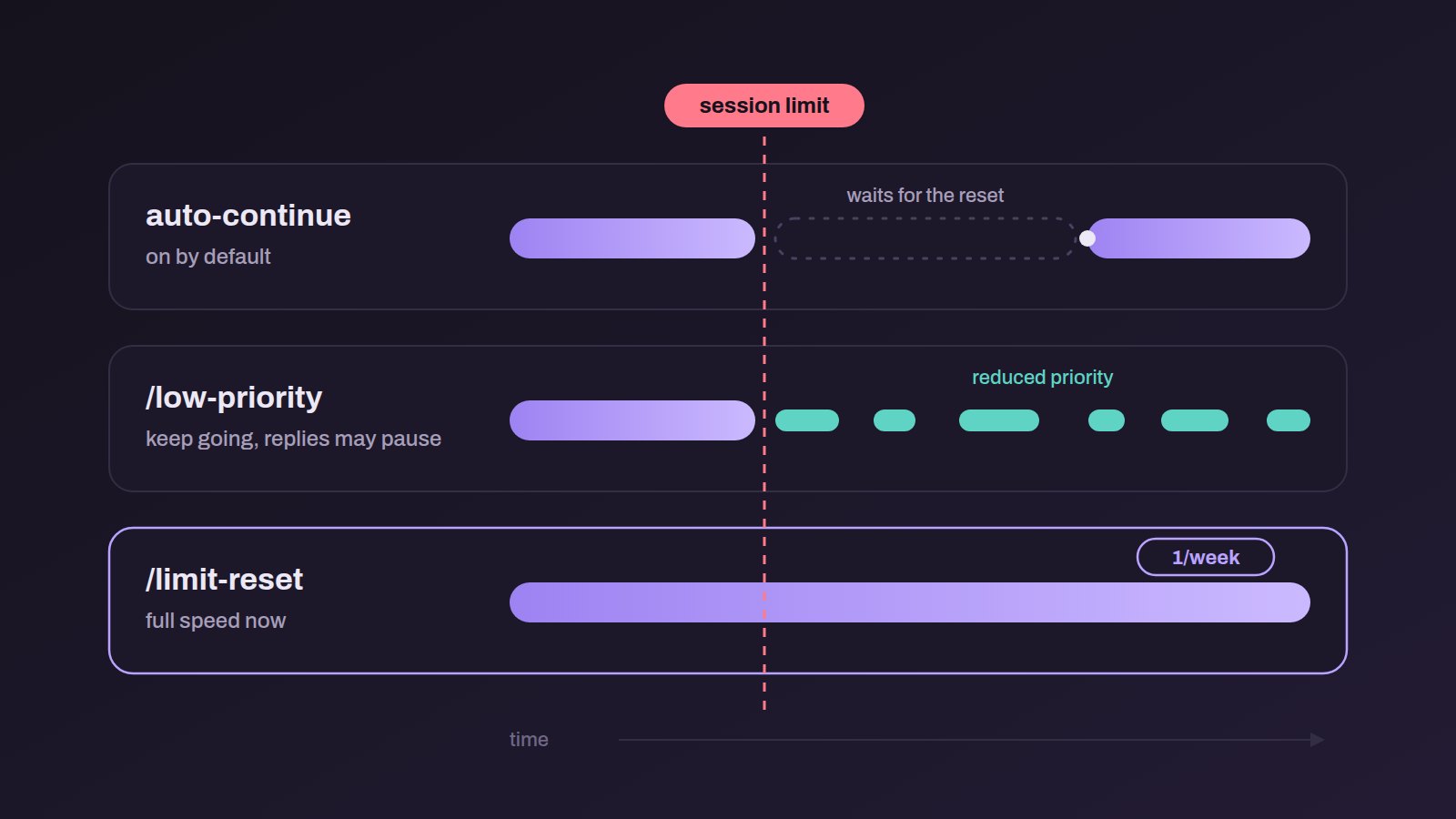
Claude Code has picked up three separate answers to hitting a limit over the past month, and they're easy to confuse.
Auto-continue when the limit resets
This one waits for you. When a usage limit stops your session, Claude Code resumes on its own once the limit resets, so the work isn't left sitting until you come back. It arrived in the middle of August and it's on by default. You turn it off in /config, under the setting for continuing automatically at a usage limit.
I think of it as the overnight option. The run stops at one in the morning, picks up when the window rolls over, and you read the result at breakfast.
Lower-priority mode
The command is /low-priority, and it's offered when you reach your session limit. It keeps you working straight away at reduced priority. Your weekly limit still applies, and replies may pause while the request waits for spare capacity. Run it again to stop it. Once it's ended, it's offered again after your weekly limit resets.
It has its own allowance, plus a cool-off if a request waits too long, and it's gated by a staged rollout a lot of accounts aren't in yet. If you asked for it and got Lower-priority mode isn't available right now., that's what happened. We took that message apart on its own page.
Use it when you want to keep going now and don't mind replies arriving when they arrive.
/limit-reset
Use it when you need full speed immediately and you're willing to spend a rationed allowance to get it. It's the strongest of the three, and it's the one you have least of.
So my order would be: let auto-continue handle anything that can wait, take lower priority when you want to keep typing, and save /limit-reset for the moment you really can't afford to stop.
What people are saying
The reaction in community threads has been consistent, and turns out it's mostly about something else.
The command itself mostly came as news. The first widely read thread about it, at the start of September, was someone reporting that they'd found it and describing it as a weekly session reset. The tone was that this was a quiet, welcome addition that nobody had been told about.
The stronger feeling attaches to auto-continue, which landed a few weeks earlier. Several threads called it the thing people had actually been asking for, and more than one person said they no longer set an alarm in the small hours to restart a stalled run. The recurring sentiment was that it was overdue, and had come after sustained complaint.
Underneath all of it, the five-hour window is still what people are frustrated by. Threads about hitting it turn up steadily, including from people who feel their usage disappears faster than they can account for. There was also a burst of posts at the start of September noticing that limits seemed to reset for everyone around a new model's launch. That was a different event from this command.
Perspectives here are paraphrased from public discussion threads (none are quoted), and we don't name anyone.
The short version
/limit-resetclears your five-hour session limit on the spot.- It doesn't touch your weekly limit, and it says so every time it works.
- It's rationed. The success message gives the date of your next one, and that date is the only reliable answer.
- It isn't in the documentation yet, so the behavior may change without notice.
- If the work can wait, auto-continue is free. If you can put up with slow replies, lower priority is free too. Spend the reset when neither will do.
More on Anthropic
- OpenCode says a distillation attack exposed the AI provider keys of 1.4% of its Console usersOctober 19, 2026
- Anthropic puts 5% of its shares into a public benefit fund that grows with its valueOctober 18, 2026
- 91% of Anthropic staff expect a Nobel-level AI discovery by 2030, but 39% of Americans doOctober 17, 2026
- Anthropic says Claude designed quantum circuits that beat the best published ones on eight tasksOctober 17, 2026